
About this template
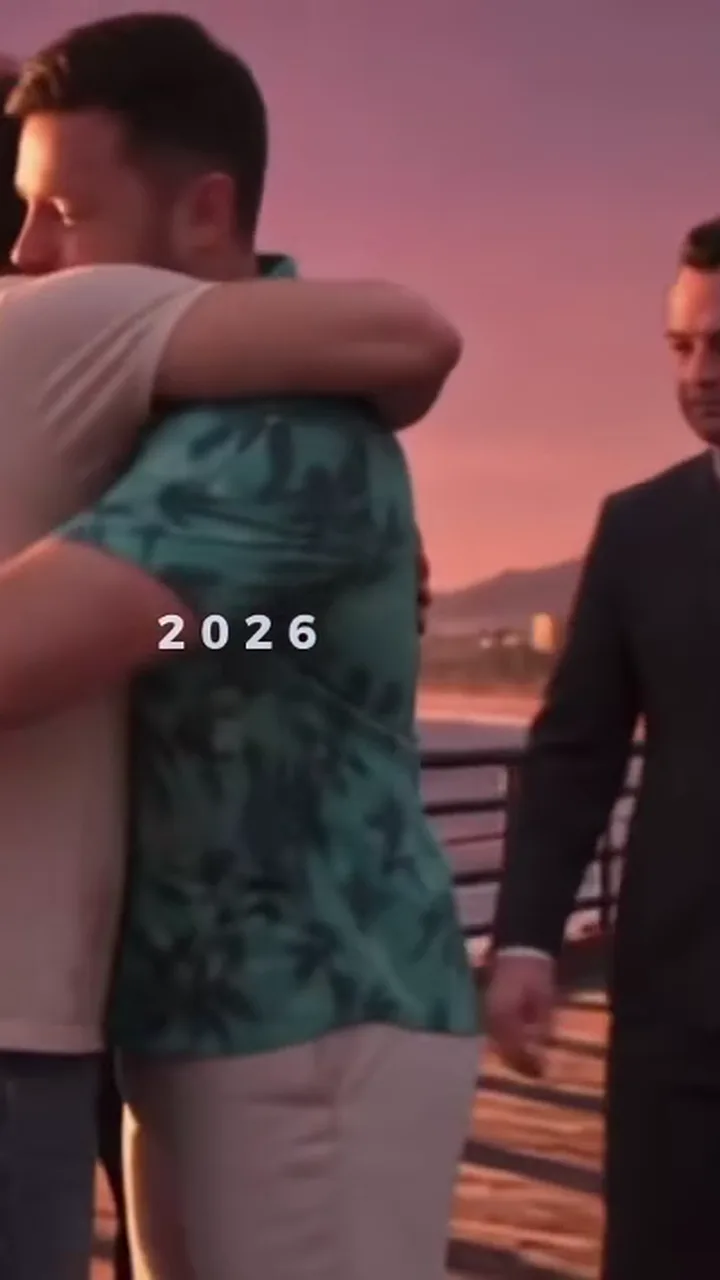
The second big version of the trend is about growing up with the game. In the 2013 half a boy clutching his new game case meets three game legends on a sunny pier, gets a fist bump and a pat on the head. In the 2026 half he comes back grown up at sunset, trades smiles with the same three and ends in a long hug. Your photo plays both: a younger you in 2013 and you as you are now in 2026. The AI model (Seedance, made by ByteDance) is asked to age your face down for the first half, so this is the template where likeness is hardest to promise. Dress the way you would for a family photo: the adult outfit carries into 2026, while the kid wears a child-sized version of the same look. A typical failure is a kid who looks like a stranger or a different age than you meant. A brighter, front-facing photo and a re-render usually fix it.
Tips for the 2013 → 2026: time flies
- Upload a clear adult photo. The AI draws the 2013 kid from your face, so a straight-on, well-lit photo gives the most believable younger you.
- The 2013 half plays at double speed to fit the 15 seconds, so the payoff, the 2026 hug, gets the full time. Keep your own look simple, since the kid scene is brief.
- The small "2013" and "2026" captions from the original stay in place, they are part of the joke. If the kid looks off after one render, try again before you change anything else.
What is already set for you
- The subject: your photo as the kid in 2013 and as the grown-up who comes back in 2026.
- The scene: the same seaside pier in daylight in 2013 and at a pink sunset in 2026.
- The timing: Goodbye templates run 15 seconds. Loading-screen templates give a poster image and an 8-second reveal clip. The videos have the trend sound mixed in.
You do not write any of this. How the built-in prompt works.
Other templates
- Goodbye on the Pier: the viral original: a sunset farewell with three game legends
- The Last Drive: a convertible ride where the old crew passes by to wave goodbye
- GTA 6 Loading Screen: your photo repainted as a vice city loading-screen poster, plus a reveal clip
- Loading Screen: Red Sports Car: the loading-screen poster with you leaning on a cherry-red sports car