
GTA Goodbye AI has 5 templates, and each pairs a subject with a scene that suits it. Choose by the look you want in the generator.
Compare the 5 dances
Same routine and sound in every one; the place, the light, the length and the original clip differ.
| Dance | Scene | Length | Original on TikTok |
|---|---|---|---|
| Goodbye on the Pier | a wooden seaside pier at golden hour with a Ferris wheel, palm trees and a beach town behind | – | 1.9M plays · 266.7K likes @derdenniso1 |
| 2013 → 2026: Time Flies | the same seaside pier in daylight in 2013 and at a pink sunset in 2026 | – | 402.8K plays · 58.9K likes @caminero133 |
| The Last Drive | a winding desert road by the coast at golden hour | – | 403.4K plays · 16.6K likes @user6627237872233 |
| GTA 6 Loading Screen | a sunset beach city with palm trees, neon art-deco hotels and a helicopter in a pink and orange sky | – | 151K plays · 2.8K likes @shadow_monarch_d |
| Loading Screen: Red Sports Car | a neon beach boulevard at sunset with palm trees and art-deco hotel signs | – | 23.5K plays · 374 likes @miss.feist |
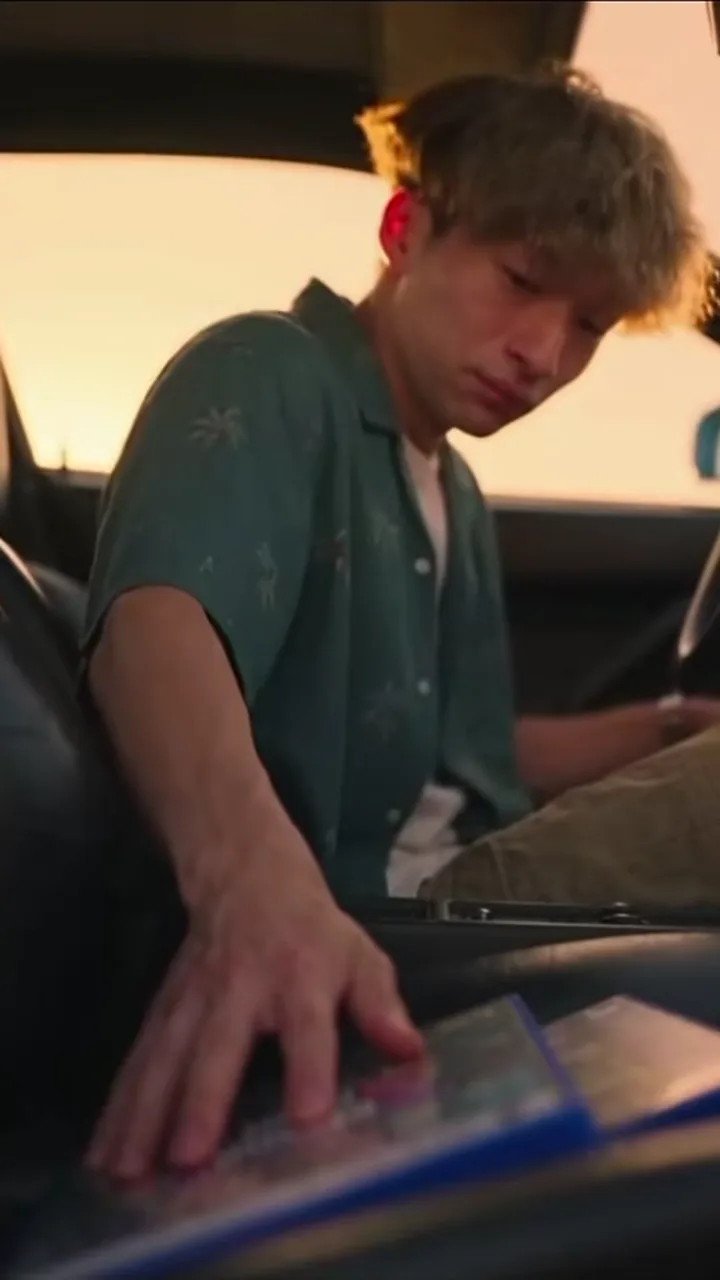
Goodbye on the Pier
1.9M plays 266.7K likes @derdenniso1
This is the clip that started the trend: three game legends meet you on a sunset pier, hand over a game case and a set of keys, shake your hand and walk off into the evening while you sit in the car holding the old game and the new one. We cut the 30-second original down to its five strongest beats so the whole story fits in 15 seconds, and your photo replaces the young man in every shot. The AI model (Seedance, made by ByteDance) changes only the person: your face, hair and outfit follow your photo, while the pier, the sunset, the two-tone sports car and the three companions come from the reference cut. The usual failure is the crying close-up, where the face softens or drifts toward someone else, most often when the photo is small, tilted or heavily filtered. A re-render gives the model a fresh attempt at that shot, and a bright, straight-on photo gives it more to hold on to.
Tips for the goodbye on the pier
- A waist-up photo works best: the pier shots show you from the chest up and the crying close-up fills the frame with your face.
- Wear a plain, mid-toned top. Your outfit in the photo becomes your outfit on the pier, and a white shirt can blow out against the sunset while a big print can shimmer between frames.
- The emotional close-up is the beat people share and the one most likely to drift. Start with a neutral face, and if the tears look off, re-render or try a higher tier before changing the photo.
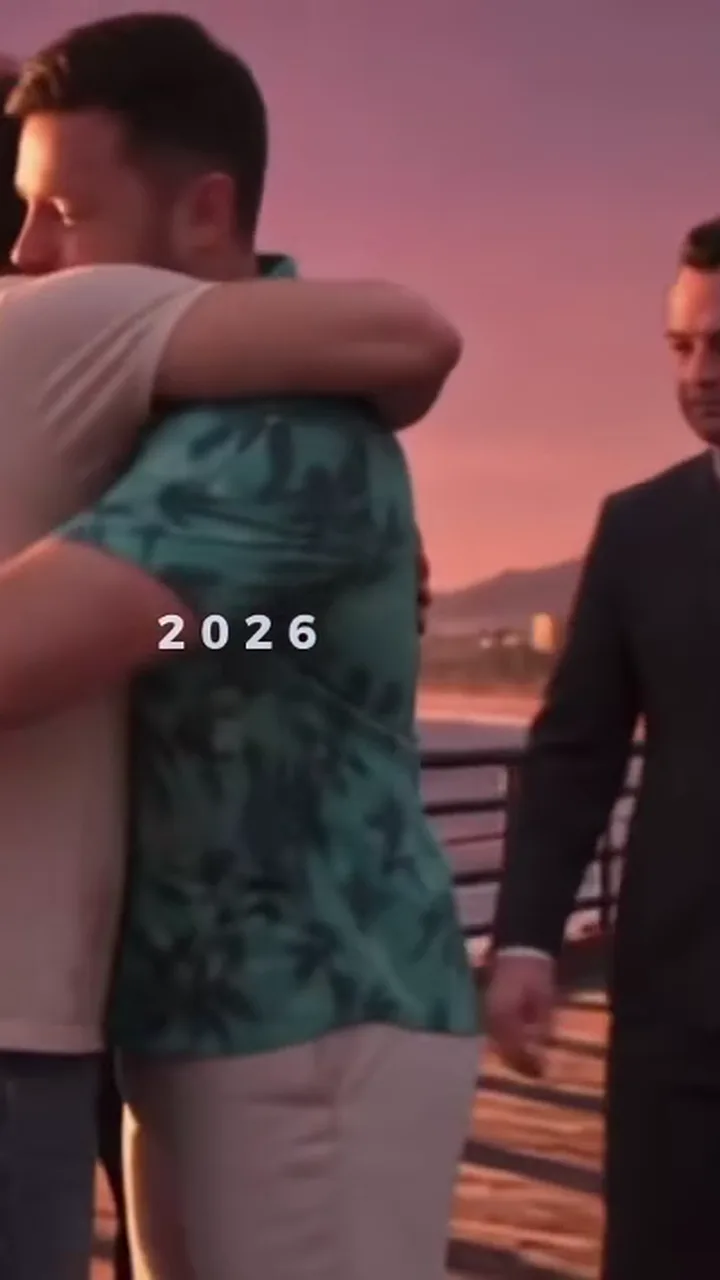
2013 → 2026: Time Flies
402.8K plays 58.9K likes @caminero133
The second big version of the trend is about growing up with the game. In the 2013 half a boy clutching his new game case meets three game legends on a sunny pier, gets a fist bump and a pat on the head. In the 2026 half he comes back grown up at sunset, trades smiles with the same three and ends in a long hug. Your photo plays both: a younger you in 2013 and you as you are now in 2026. The AI model (Seedance, made by ByteDance) is asked to age your face down for the first half, so this is the template where likeness is hardest to promise. Dress the way you would for a family photo: the adult outfit carries into 2026, while the kid wears a child-sized version of the same look. A typical failure is a kid who looks like a stranger or a different age than you meant. A brighter, front-facing photo and a re-render usually fix it.
Tips for the 2013 → 2026: time flies
- Upload a clear adult photo. The AI draws the 2013 kid from your face, so a straight-on, well-lit photo gives the most believable younger you.
- The 2013 half plays at double speed to fit the 15 seconds, so the payoff, the 2026 hug, gets the full time. Keep your own look simple, since the kid scene is brief.
- The small "2013" and "2026" captions from the original stay in place, they are part of the joke. If the kid looks off after one render, try again before you change anything else.
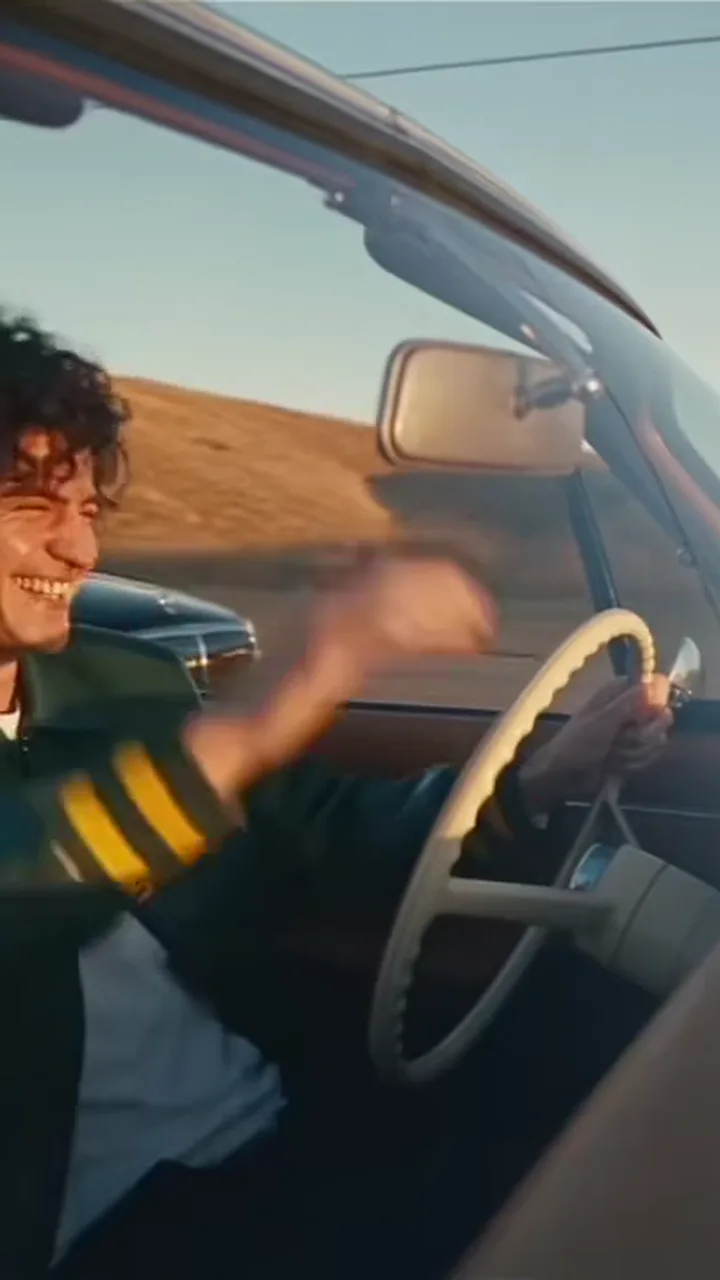
The Last Drive
403.4K plays 16.6K likes @user6627237872233
The Last Drive tells the goodbye as a road trip. You check the rear-view mirror, a biker rolls up beside the convertible, a man in a black sedan nods through his window, a red pickup swerves across the dusty road with its passenger waving, and you end up laughing behind the wheel. It is the warmest of the goodbye versions and the one that works best for people who do not want a crying scene. The AI model (Seedance, made by ByteDance) swaps in only the driver: the convertible, the road, the passing vehicles and the light stay as in the trend clip. Dress for an open car, with a light jacket or a plain tee and sunglasses off. The usual failure is the rear-view mirror shot, where your eyes appear alone and can look wrong if they are hidden or small in the photo. A better photo with both eyes visible, or a re-render, helps.
Tips for the last drive
- Your eyes appear alone in the rear-view mirror in the first shot, so a photo where both eyes are clearly visible and not behind glasses pays off.
- Curly or long hair moves in the wind in the convertible shots; tied-back hair stays neat, and a hat can flip off the head, so leave it out.
- The clip is landscape footage from the trend; pick 16:9 in the format options if you want it wide, 9:16 crops it for Reels and TikTok.
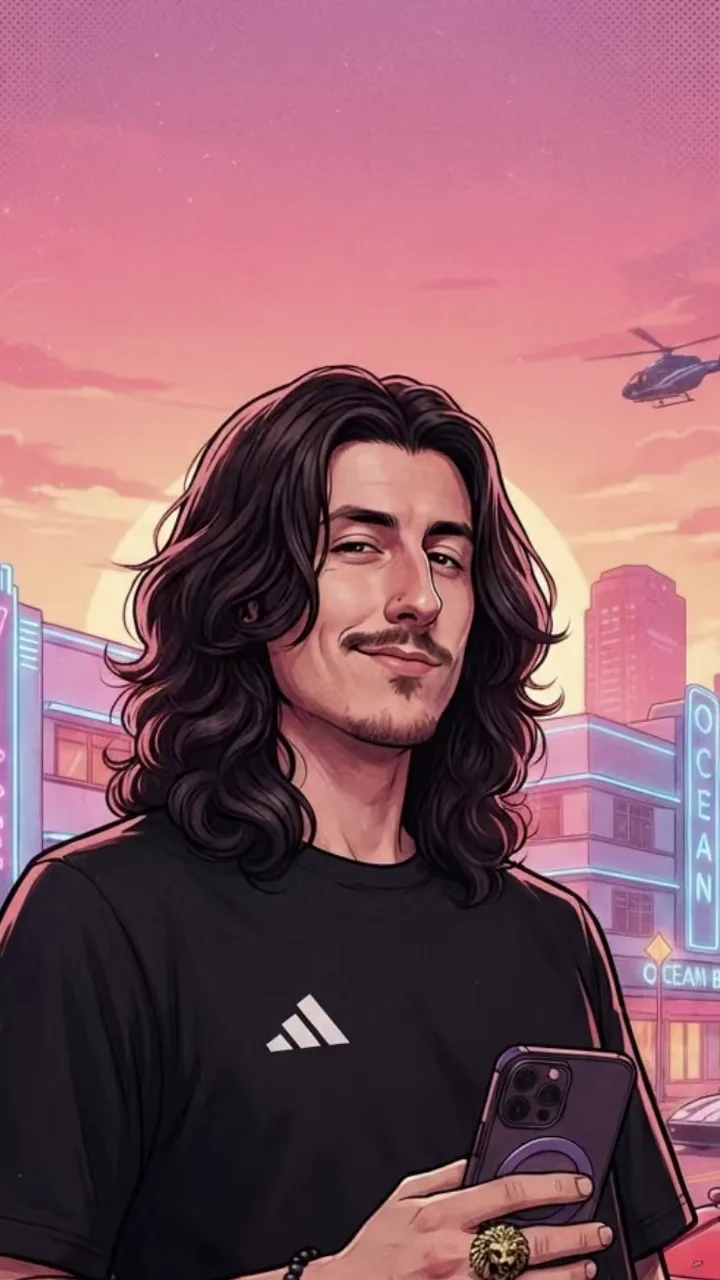
GTA 6 Loading Screen
151K plays 2.8K likes @shadow_monarch_d
The loading-screen trend took over TikTok in the week GTA 6 came out: people post a normal selfie that wipes into a painted poster of themselves in the style of the game's loading art, with thick ink outlines, flat sunset colours, palm trees and neon hotel signs. This template keeps your pose, outfit and the people in your photo. You get two things: a painted poster image (PNG) drawn from your photo by GPT Image 2.5, OpenAI's image model, in about 1 to 2 minutes, and an 8-second reveal video that your browser builds right after, showing your photo, a diagonal wipe, then the poster, with the trend sound. Couples and friends work if they are in the same photo, and both are painted. The image model repaints you rather than copying your pixels, so it turns your skin tones and lighting into flat poster colours and keeps your pose and the shapes of your outfit. Wear something with a clear shape and colour. A typical failure is a poster where the face looks generic or a hand is lost; a knee-up photo with your face clear, or a re-render, gives the model another go.
Tips for the gta 6 loading screen
- A full-body or knee-up photo makes the best poster: the original loading screens show the whole figure leaning or standing.
- Strong poses read well in the painted style. Holding a phone, leaning on a wall, or one hand in a pocket all look right, while crossed arms can merge into the torso.
- The poster has no game logo on it. Add your own text in the app you post to if you want a title, and the poster also downloads as a PNG on its own.
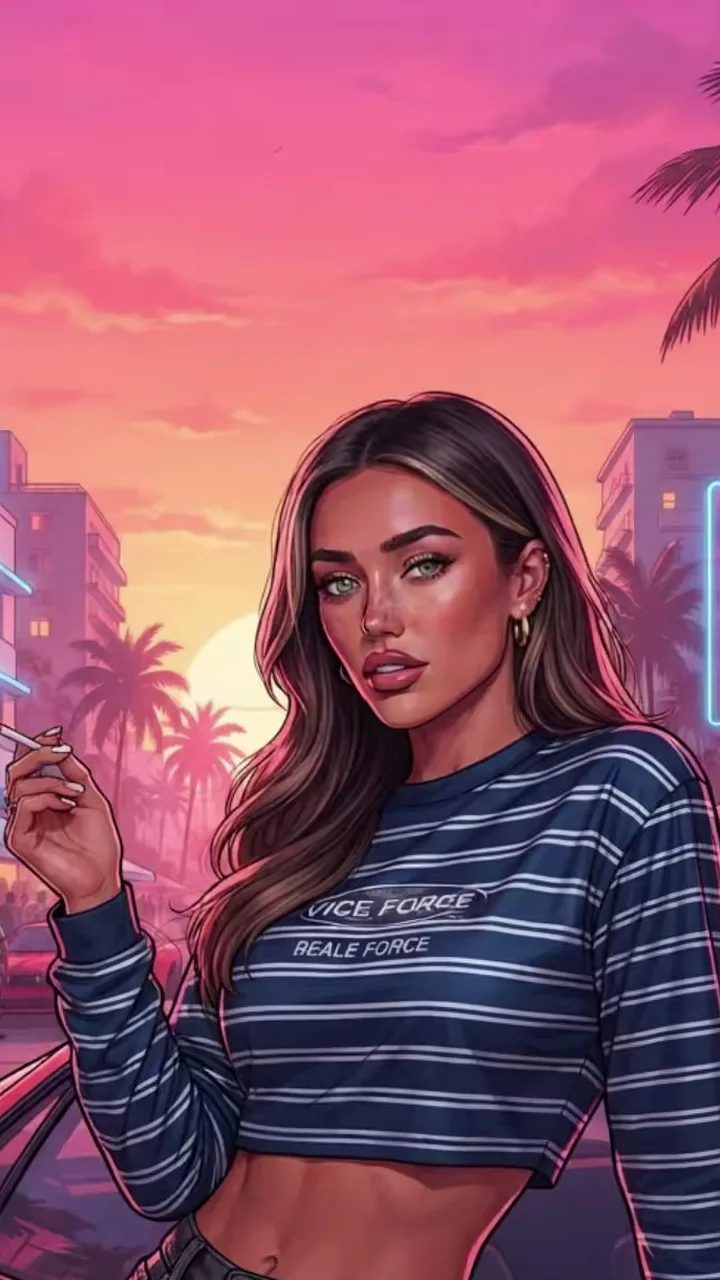
Loading Screen: Red Sports Car
23.5K plays 374 likes @miss.feist
The car version is the most copied loading-screen pose: the character leans back on a low red sports car, one hand on the bonnet, with a neon boulevard and a sunset behind. Your photo sets the face, hair and outfit; the car, the street and the painted style are built in. The car is drawn without any make or badge. You get a painted poster image (PNG) drawn by GPT Image 2.5, OpenAI's image model, in about 1 to 2 minutes, and an 8-second reveal video that your browser builds right after: your photo, a diagonal wipe, then the poster, with the trend sound. The image model moves you from your photo's pose into the lean, so it changes your stance, not your clothes. Pick an outfit that looks good leaning: a jacket, a dress or a bright tee, rather than a long coat that hides your shape. A typical failure is a limb that bends oddly at the car edge or a hand that lands wrong on the bonnet. A photo showing your whole body, or a re-render, usually clears it.
Tips for the loading screen: red sports car
- Any standing photo works, but one that shows your legs and both hands helps the image model plan the lean without guessing.
- Bright outfits pop against the pink and orange sky. Dark clothes keep their colour but read as a silhouette against the car's red.
- For two people, upload one photo with both of you standing side by side; both lean on the car.