
GTA 5 to GTA 6 · Updated Nov 20, 2026
GTA Goodbye AI Your GTA 5 goodbye
See examplesUpload one photo. We put you on a sunset pier saying goodbye to three game legends, or paint you into a GTA 6 loading screen. A 15-second goodbye video, or a painted loading-screen poster with an 8-second reveal clip, with the trend sound. Ready for TikTok, Reels and Shorts.
Viral clips
The trend in the wild
The viral originals and remakes, with each creator's public numbers.
Credits
Get credits to make your video
Each video costs credits by model and resolution: a standard video (at the default settings) is 10 credits. Buy a pack once, or subscribe for fresh credits every month. Bigger means cheaper per video.
Basic
100 credits / month · ≈ 10 videos
$29.90/mo
≈ $2.99 / video
- No watermark
- Fresh credits every month
- Unused credits roll over
- Cancel anytime
BasicSave 17%
1200 credits / year · ≈ 120 videos
$24.92/mo
≈ $2.49 / video
Billed $299 yearly
- No watermark
- All year's credits up front
- Credits never expire
- Cancel anytime
ProSave 17%
200 credits / month · ≈ 20 videos
$49.90/mo
≈ $2.50 / video
- No watermark
- Fresh credits every month
- Unused credits roll over
- Cancel anytime
ProSave 30%
2400 credits / year · ≈ 240 videos
$41.58/mo
≈ $2.08 / video
Billed $499 yearly
- No watermark
- All year's credits up front
- Credits never expire
- Cancel anytime
StudioSave 26%
450 credits / month · ≈ 45 videos
$99.90/mo
≈ $2.22 / video
- No watermark
- Fresh credits every month
- Unused credits roll over
- Cancel anytime
StudioSave 38%
5400 credits / year · ≈ 540 videos
$83.25/mo
≈ $1.85 / video
Billed $999 yearly
- No watermark
- All year's credits up front
- Credits never expire
- Cancel anytime
Or buy credits once
Basic: 10 videos a month for $29.90. The Crew Pack is 25 videos for $99, once.
Single
10 credits · ≈ 1 video
$6.99
≈ $6.99 / video
- No watermark
- Download and post anywhere
- Credits never expire
- Failed renders are free
TrioSave 19%
30 credits · ≈ 3 videos
$16.99
≈ $5.66 / video
- No watermark
- Download and post anywhere
- Credits never expire
- Failed renders are free
Duo PackSave 17%
50 credits · ≈ 5 videos
$29
≈ $5.80 / video
- No watermark
- Download and post anywhere
- Credits never expire
- Failed renders are free
Crew PackSave 43%
250 credits · ≈ 25 videos
$99
≈ $3.96 / video
- No watermark
- Download and post anywhere
- Credits never expire
- Failed renders are free
Studio PackSave 53%
600 credits · ≈ 60 videos
$199
≈ $3.32 / video
- No watermark
- Download and post anywhere
- Credits never expire
- Failed renders are free
Label PackSave 60%
1800 credits · ≈ 180 videos
$499
≈ $2.77 / video
- No watermark
- Download and post anywhere
- Credits never expire
- Failed renders are free
Checkout shows videosi. This purchase is for GTA Goodbye AI.
The short answer
What is GTA Goodbye AI?
GTA Goodbye AI is a viral trend: a short AI video in which a person says farewell to three game legends on a sunset pier as GTA 6 arrives, with a GTA 6 loading-screen poster version. The most-viewed original, by @derdenniso1, reached 1.9M TikTok plays on 2026-11-20. Creators build these clips with AI video models and CapCut templates from a photo and a reference, then post them to TikTok, Reels and Shorts.
GTA Goodbye AI packages that workflow: one photo in, finished clip out, with no reference video to find and no prompt to write.
Three steps
How to do the GTA Goodbye AI trend
No timeline editing and no prompt writing. The clip is already choreographed, you bring the face.
Upload one photo
A clear, front-facing photo that shows your face, hair and the outfit you want to wear in the video.
Pick the template
Choose one of 5 templates: the sunset pier, 2013 → 2026, the last drive, or one of two GTA 6 loading screens.
Download and post
Get the MP4 with the trend sound already mixed in (15 seconds for a goodbye; for a loading screen, the poster image plus an 8-second reveal clip), then post it to TikTok, Reels or Shorts.
Shot list
The 15-second shot list
We broke down the 30-second viral pier clip beat by beat and cut it to its five strongest moments for 15 seconds. Every Goodbye on the Pier render follows this sheet.
| Time | Beat | What happens |
|---|---|---|
| 0.0–4.0s | The handover | Three game legends stand with you on a sunset pier; the one in the grey suit hands you a game case and pats your shoulder. |
| 4.0–7.0s | The keys | The one in the green shirt shakes your hand and passes you the keys, a two-tone sports car parked behind. |
| 7.0–10.0s | The tears | A close-up of you on the pier, eyes wet, trying to hold it together. |
| 10.0–13.5s | Old game, new game | Inside the car you set the old game case down next to the new one and grab the wheel. |
| 13.5–15.0s | Walking away | The three walk off down the pier toward the sunset, backs to the camera. |
Scenes
Pick a template for your video
Each template has its own scene and its own built-in prompt, tuned so the pier, the road or the painted poster stays as in the trend while your face, hair and outfit come from your photo.
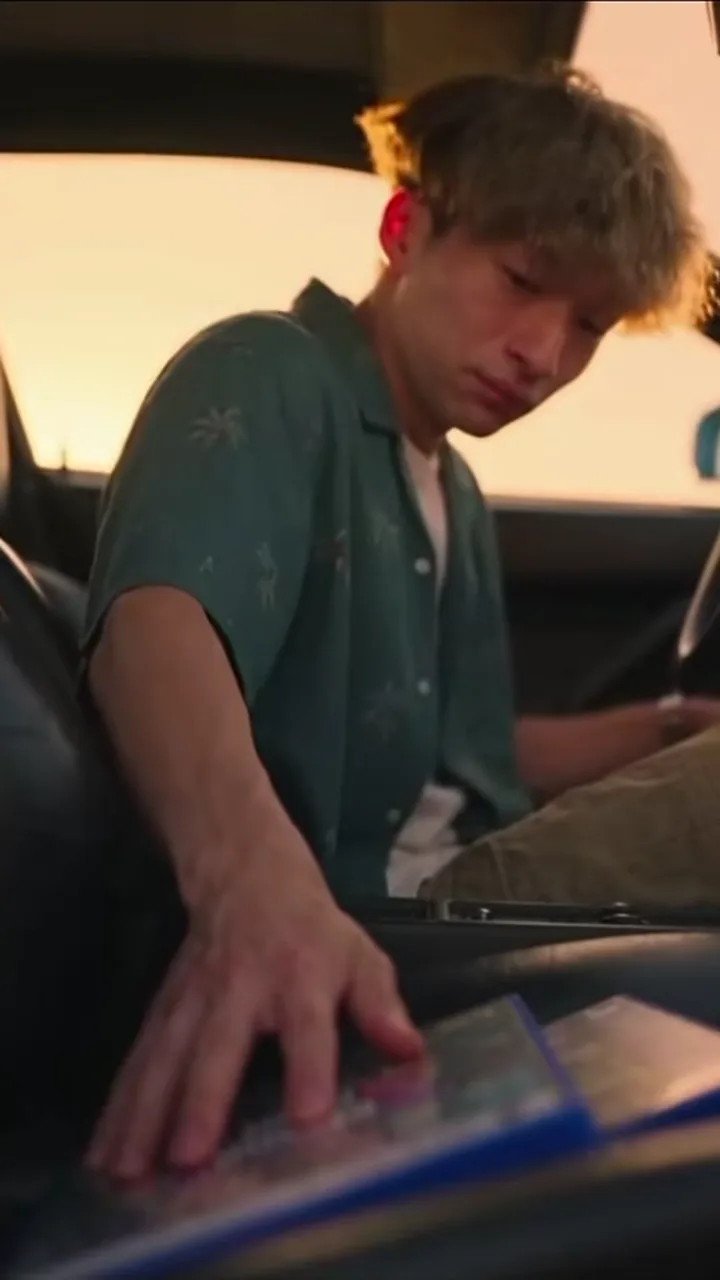
Goodbye on the Pier
The viral original: a sunset farewell with three game legends
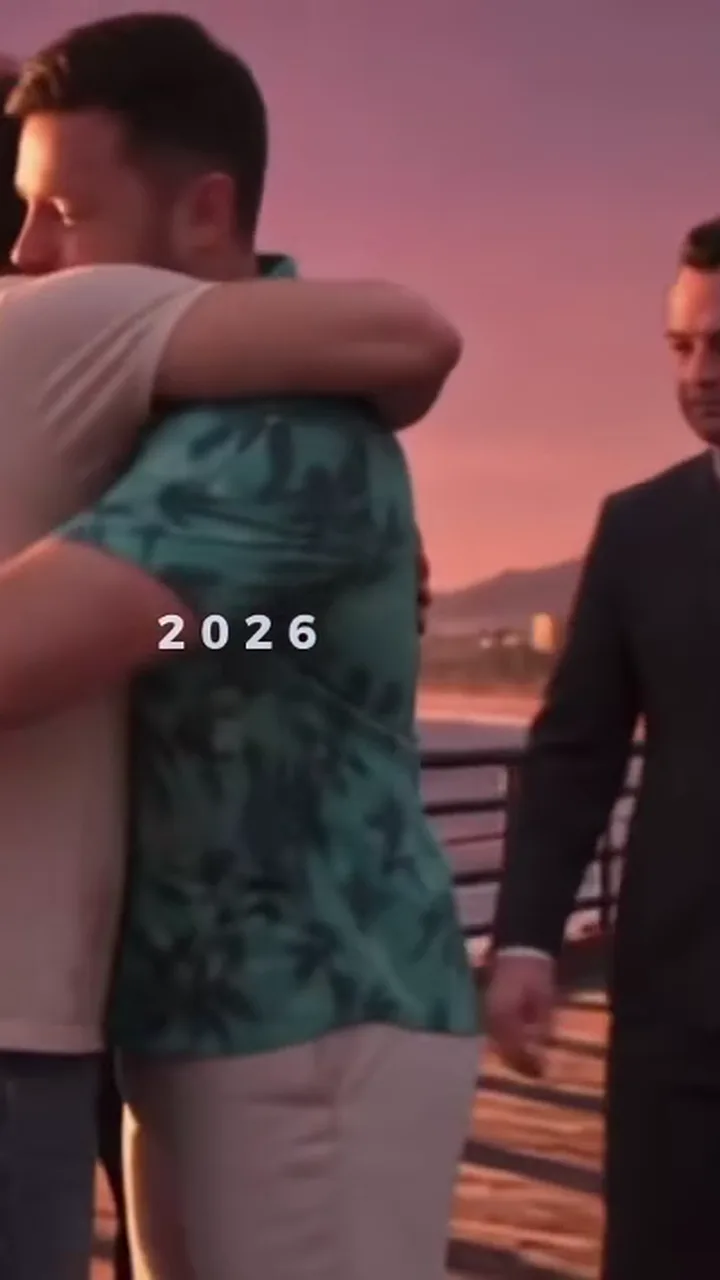
2013 → 2026: Time Flies
You as a kid meeting them in 2013, then grown up and hugging goodbye
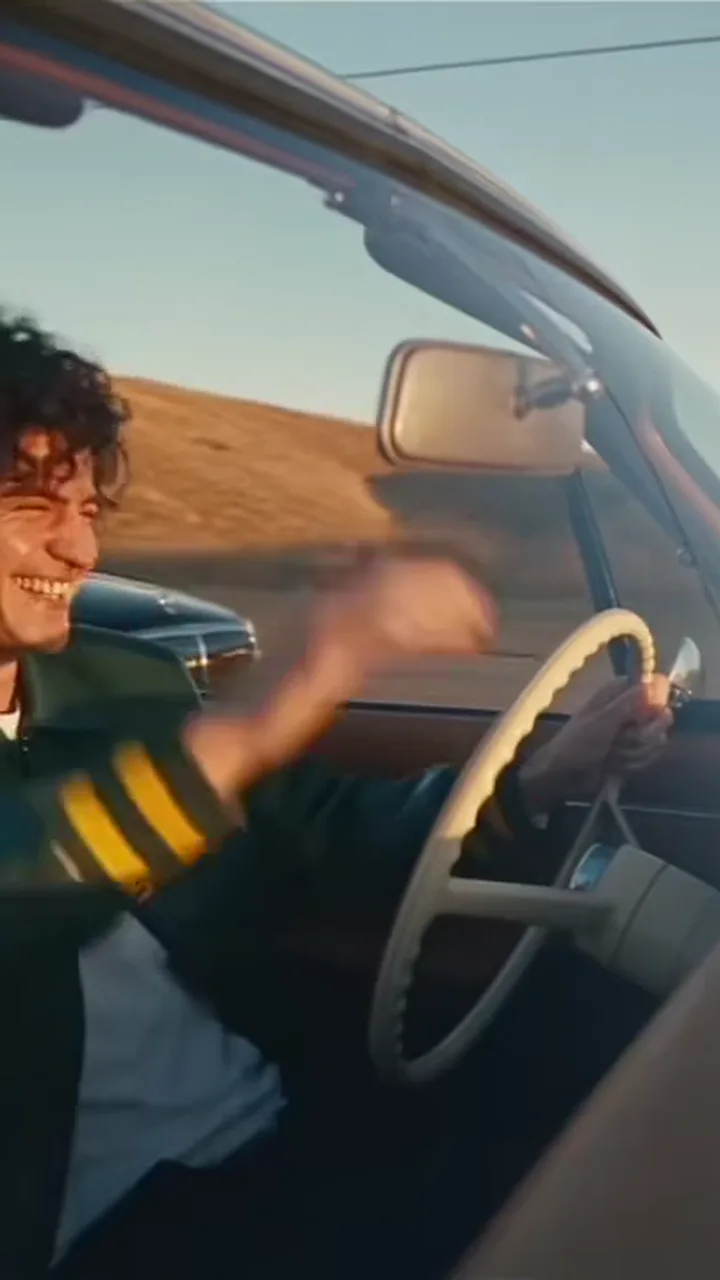
The Last Drive
A convertible ride where the old crew passes by to wave goodbye

GTA 6 Loading Screen
Your photo repainted as a Vice City loading-screen poster, plus a reveal clip

Loading Screen: Red Sports Car
The loading-screen poster with you leaning on a cherry-red sports car
Before you upload
Before you upload
For the best result
- Face the camera, eyes visible, no heavy beauty filter.
- Show hair, shoulders and outfit, not a tight face crop.
- One person per photo, sharp and evenly lit.
Good to know
- The crying close-up and the hands are the shots that drift most. A re-render, or the Pro or Ultra model, usually fixes it.
- Every video has the trend sound mixed in. Likeness varies between renders, and the 2013 kid and the loading-screen poster are the newest looks.
Questions
GTA Goodbye AI FAQ
What is the GTA 5 goodbye trend?
The GTA 5 goodbye trend is a short AI video in which you say farewell to three Grand Theft Auto V style legends on a sunset pier, posted around the GTA 6 launch on November 19, 2026. The original by @derdenniso1 passed 1.9 million TikTok views. GTA Goodbye AI makes your own 15-second version from one photo.
How do I make the GTA goodbye AI video?
Upload one clear photo of yourself on GTA Goodbye AI, pick a template (Goodbye on the Pier, 2013 → 2026, The Last Drive or a GTA 6 loading screen) and tap Make my video. A goodbye is a 15-second MP4 with the trend sound, ready in about three to four minutes; a loading screen is a painted poster image in about one to two minutes plus an 8-second reveal clip. There is no prompt to write and no CapCut template to find.
Is there a GTA goodbye AI generator or app?
GTA Goodbye AI (gtagoodbye.com) is a web generator built only for this trend: it works in any phone or desktop browser, needs no app install, and turns one photo into the goodbye video. The viral clips themselves were made with AI video tools and CapCut templates; GTA Goodbye AI packs the reference shots, timing and sound into one button.
Is there a GTA goodbye filter on TikTok or CapCut?
There is no official GTA goodbye filter from TikTok or Rockstar. Creators pass around CapCut templates and AI video workflows; template links change and break as the trend moves. GTA Goodbye AI gives the same result from a single photo without CapCut, and adds GTA 6 loading-screen templates that paint you into the poster.
How much does a GTA goodbye AI video cost?
A standard GTA goodbye AI video (Standard model, 720p) costs 10 credits on GTA Goodbye AI; a better model or a higher resolution costs 5 to 93 credits. The Single pack is $6.99 for 10 credits, one video. Packs never expire, plans from $29.90 a month add credits monthly, and failed renders return their credits automatically. There is no free tier.
Which AI makes the GTA goodbye video?
GTA Goodbye AI uses Seedance 2.0 / 2.5 (videos) and GPT Image 2.5 (loading-screen posters), made by ByteDance (Seedance) and OpenAI (GPT Image). The three goodbye videos are rendered by the Seedance models, and you pick the tier: Standard (Seedance 2.0 Mini), Fast (Seedance 2.0 Fast), Pro (Seedance 2.0), Ultra (Seedance 2.5). They edit the viral reference clip so the young man becomes you. The loading-screen posters are drawn by GPT Image 2.5, with no tier to choose. You never write a prompt.
Can I make the GTA 6 loading screen of myself?
Yes. GTA Goodbye AI has two GTA 6 loading-screen templates: your photo wipes into a hand-painted Vice City style poster of you with palms, neon hotels and a sunset sky, or you leaning on a red sports car. Each gives you a painted poster image (PNG) drawn by GPT Image 2.5 in about one to two minutes, plus an 8-second reveal video your browser builds right after, for 3 credits. Couples work if both are in one photo, and both are painted.
Why doesn't the face in my GTA goodbye video look like me?
Most misses on GTA Goodbye AI come from the photo: a side angle, sunglasses, a heavy beauty filter or a tiny face in a group shot. Use one front-facing photo in good light where your face fills at least a fifth of the frame. The crying close-up is the hardest shot; if it drifts, re-render or pick the Pro or Ultra model.
Is GTA Goodbye AI official or made by Rockstar?
No. GTA Goodbye AI is an independent fan-made tool and is not affiliated with, endorsed by or sponsored by Rockstar Games or Take-Two Interactive. The videos carry no game logos, the three companions are never named, and the site does not use any official artwork or footage.
Whose photo can I use for the GTA goodbye video?
Use a photo of yourself, or of a friend who agreed to it, and everyone in it must be 18 or older. GTA Goodbye AI does not allow photos of celebrities, public figures or anyone who did not consent. Photos are deleted within 24 hours and are never used to train AI models.
How long is the GTA goodbye video and does it have sound?
The goodbye videos on GTA Goodbye AI are 15 seconds, delivered as MP4 files in 9:16 by default (1:1 and 16:9 available). The GTA 6 loading-screen templates give a painted poster image plus an 8-second reveal video (MP4, or WebM on some browsers). Every video comes with the trend's sound mixed in and no watermark, ready for TikTok, Reels and Shorts.
When did GTA 6 come out?
Rockstar released Grand Theft Auto VI on November 19, 2026 for PlayStation 5 and Xbox Series X|S, with a rolling regional unlock. The GTA 5 goodbye videos peaked in the days before and after launch, as players said farewell to the 2013 game. GTA Goodbye AI has no connection to Rockstar.